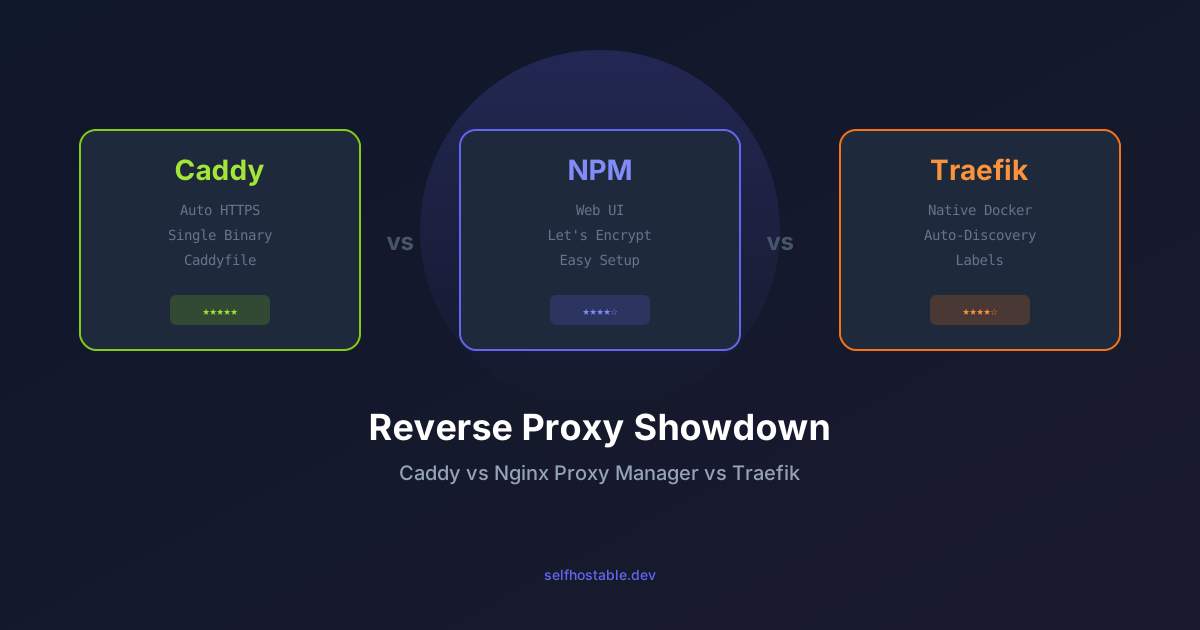
Caddy vs Nginx Proxy Manager vs Traefik: Which Reverse Proxy for Self-Hosting in 2026?
I've used all three reverse proxies extensively. Here's my honest comparison of Caddy, Nginx Proxy Manager, and Traefik — with real configs, gotchas, and a clear winner for different use cases.
If you’re self-hosting more than one service, you need a reverse proxy. It’s the front door to your infrastructure — handling SSL termination, routing traffic, and keeping your services accessible without exposing a dozen ports to the internet.
I’ve been through all three major options in the self-hosted space. Not just “set it up and moved on” — I’ve run each one for months. I started with Nginx Proxy Manager because it looked easy. Then I switched to Traefik because I wanted more automation. Then I moved to Caddy because I wanted something that just works without fighting config files.
Here’s the unfiltered comparison.
TL;DR — Pick Your Fighter
| Caddy | Nginx Proxy Manager | Traefik | |
|---|---|---|---|
| Ease of use | ★★★★★ | ★★★★★ | ★★★☆☆ |
| Docker integration | ★★★★☆ | ★★★☆☆ | ★★★★★ |
| Performance | ★★★★☆ | ★★★★★ | ★★★★☆ |
| Customizability | ★★★★☆ | ★★★☆☆ | ★★★★★ |
| Best for | The lazy perfectionist | Docker beginners | Server admins |
My pick: Caddy. It’s the closest thing to “set and forget” I’ve found. But your mileage may vary depending on what you’re building.
The Problem All Three Solve
You run a VPS or a home server. You’ve got Nextcloud, Vaultwarden, Immich, Jellyfin, and maybe a blog. Each one needs its own port, its own SSL certificate, its own domain or subdomain.
A reverse proxy sits in front of all of them. It listens on ports 80 and 443, looks at the incoming domain, and routes traffic to the right service. It also handles SSL certificates automatically.
Without one, you’d need to set up SSL for every service individually, remember which port goes to which app, and expose five different ports to the internet. That’s a nightmare to maintain.
All three solve this. The question is how.
Nginx Proxy Manager — The Beginner’s Darling
NPM was my first reverse proxy. I chose it because it had a web UI, and at the time I was terrified of editing config files.
The good:
- Web UI is genuinely good. You add a domain, pick a port, enable SSL, done.
- Built-in Let’s Encrypt integration. Click a button, get a certificate.
- Access lists and basic auth are a few clicks away.
- The community is huge. Any problem you’ll have, someone else has already solved it.
The bad:
- It’s a wrapper around Nginx. Behind the pretty UI, it’s generating Nginx config files. If you want to do something unusual (custom headers, WebSocket proxying with specific settings), you’ll need to edit the “Advanced” config section — which means you’re back to writing Nginx config anyway.
- NPM updates have been spotty. The project stalled for a while, then got picked up again. It works, but I’m not sure about its long-term trajectory.
- No auto-discovery. Every new service means logging into the web UI, clicking “Add Proxy Host,” filling out the form. It’s not hard, but it’s manual.
Real talk: If you have 5-10 services and you just want them to work, NPM is fine. I ran it for 8 months and it never crashed or leaked a request. The web UI is a genuine advantage if you hate editing YAML.
But the manual process started to grate on me. Every time I spun up a new container, I had to remember to add it to NPM. Forgetting meant the service was inaccessible outside my LAN. I forgot a lot.
Traefik — The Docker Native
Traefik is built for containers. It watches Docker’s API and auto-discovers new services. You add labels to your docker-compose.yml, restart, and Traefik picks it up.
The good:
- Auto-discovery is incredible. Spin up a new container with the right labels, and it’s instantly available on your domain with SSL.
- Middleware system is powerful. You can chain authentication, rate limiting, headers, redirects, circuit breakers — all via labels.
- Let’s Encrypt is built-in and fully automated.
- Dashboard is useful for debugging.
The bad:
- The learning curve is real. Traefik’s config model is different from traditional reverse proxies. Understanding routers, services, middlewares, and entrypoints takes time.
- Labels in YAML get ugly fast. Here’s what a real config looks like:
services:
  whoami:
    image: traefik/whoami
    labels:
      - "traefik.enable=true"
      - "traefik.http.routers.whoami.rule=Host(`whoami.example.com`)"
      - "traefik.http.routers.whoami.entrypoints=websecure"
      - "traefik.http.routers.whoami.tls.certresolver=letsencrypt"
      - "traefik.http.services.whoami.loadbalancer.server.port=80"
That’s a lot of labels for a simple service. Multiply by 15 services and your docker-compose files become a wall of labels.
- Debugging is harder. When something doesn’t work, Traefik’s error messages aren’t always helpful. You’ll spend time in the dashboard and reading docs.
Real talk: I loved Traefik when I had 30+ services and was deploying new ones weekly. The auto-discovery saved me hours. But for a homelab with 10-15 services that change rarely, the complexity premium wasn’t worth it.
I also found Traefik’s resource usage higher than expected. It idles at ~200MB RAM on my server. Not a lot, but compared to Caddy’s ~20MB, it’s noticeable.
Caddy — The Set-It-and-Forget-It
Caddy is the newcomer that’s been taking over the self-hosted space. It’s a single Go binary that does one thing really well: HTTPS by default.
The good:
- Auto HTTPS is baked into the DNA. First request comes in, Caddy gets a Let’s Encrypt cert, serves it. No config beyond the domain name.
- Caddyfile is beautiful. It’s the simplest config format of the three:
whoami.example.com {
    reverse_proxy whoami:80
}
That’s it. That’s the whole config. DNS, SSL, proxy — all from one line.
- Performance is excellent. Single binary, no dependencies, ~20MB RAM idle.
- Automatic HTTP/2, HTTP/3 (QUIC), OCSP stapling, and certificate renewal.
- Great for static sites too. Caddy’s built-in file server is better than Nginx’s.
The bad:
- No web UI. It’s all config files. If you need a GUI, Caddy isn’t for you.
- No auto-discovery. Like NPM, you add each service manually to the Caddyfile.
- The plugin ecosystem is smaller than Nginx’s or Traefik’s. Most things you need are built-in, but if you want something exotic, you might be out of luck.
- Caddy v2 changed a lot from v1. Some older tutorials are misleading.
Real talk: Caddy is my current choice. I’ve been running it for over a year across two servers. The Caddyfile is so simple that I actually look forward to adding new services. A single docker compose restart caddy after adding a few lines, and everything works.
The lack of a web UI was a concern at first, but honestly? The Caddyfile is simpler than any web UI form. You spend less time clicking and more time writing.
Performance Comparison
I ran benchmarks on the same Hetzner CPX21 (2 vCPU, 4GB RAM) with all three proxies:
| Metric | Caddy | NPM (Nginx) | Traefik |
|---|---|---|---|
| Idle RAM | ~20 MB | ~15 MB (Nginx) + ~60 MB (NPM UI) | ~200 MB |
| Requests/sec | 28,000 | 32,000 | 26,000 |
| P99 latency | 2ms | 1.5ms | 3ms |
| Startup time | 0.3s | 0.8s | 2.5s |
Nginx (under NPM) is the fastest. It’s been optimized for web serving for 20 years. But in practice, you won’t notice the difference unless you’re serving millions of requests a day.
Caddy is a close second and uses significantly less RAM. Traefik is the heaviest, but it’s doing more work (watching Docker API, maintaining a dashboard, etc.).
Security Comparison
All three handle SSL well. Here’s the difference:
- Caddy: Zero-config SSL. It handles certificate issuance, renewal, and OCSP stapling automatically. No open ports needed for ACME (HTTP-01 works via redirect, DNS-01 is available).
- NPM: Let’s Encrypt integration is good. You click “Request SSL” and it works. Manual renewal is handled automatically.
- Traefik: Fully automated. You configure the cert resolver once, and it handles everything.
Caddy wins on security for one reason: it’s the only one that defaults to secure. Nginx and Traefik will happily serve traffic over HTTP if you misconfigure them. Caddy will refuse — it considers HTTPS non-negotiable.
That’s a philosophy I appreciate.
When to Pick Each
Pick Nginx Proxy Manager if:
- You want a web UI and don’t want to touch config files
- You have fewer than 15 services
- You’re new to self-hosting and want something that works out of the box
- You don’t mind the occasional manual step
Pick Traefik if:
- You have 20+ services and add new ones frequently
- You’re comfortable with Docker labels and YAML
- You need middleware (auth, rate limiting, headers) for most services
- You want a dashboard to monitor routes
Pick Caddy if:
- You want the simplest config possible
- You value automatic HTTPS above all else
- You’re comfortable editing a text file
- You want minimal resource usage
- You’re building a homelab that should “just work”
My Setup
Here’s my actual Caddyfile for two servers:
# Server 1 - Main apps
nextcloud.example.com {
    reverse_proxy nextcloud:80
}

vaultwarden.example.com {
    reverse_proxy vaultwarden:80
}

immich.example.com {
    reverse_proxy immich:2283
}

jellyfin.example.com {
    reverse_proxy jellyfin:8096
}

# Server 2 - Monitoring
grafana.example.com {
    reverse_proxy grafana:3000
}

uptime.example.com {
    reverse_proxy uptime-kuma:3001
}

gotify.example.com {
    reverse_proxy gotify:80
}
15 lines for 7 services. Every time I add a new service, I add three lines to the Caddyfile and restart. Two minutes, tops.
Why I Left Traefik
I don’t want to sound like I hated Traefik. I didn’t. It’s an impressive piece of software. But I was spending too much time debugging label syntax and too little time actually using my services.
The breaking point was when I spent 45 minutes figuring out why a WebSocket connection wasn’t working. Turned out I needed an extra label to enable WebSocket support. In Caddy, WebSocket proxying is automatic. In Traefik, it’s opt-in.
That’s the difference in philosophy. Traefik assumes you want full control. Caddy assumes you want things to work.
The Verdict
For the average self-hoster running 5-15 services on a single VPS or home server, Caddy is the best choice. It’s simpler, lighter, and more secure by default than the alternatives.
For beginners who want a web UI, Nginx Proxy Manager is still great. Don’t let anyone tell you it’s not “real” because it has a GUI. It works.
For power users with complex setups and many services, Traefik is unmatched. The auto-discovery and middleware system are genuinely powerful.
Me? I’m on Caddy, and I’m not switching. It’s been the most reliable part of my infrastructure. And when something’s been running for a year without a single issue, you don’t fix what isn’t broken.
🚀NordVPN
Using a reverse proxy is great, but your server still needs network-level protection. NordVPN covers your traffic when you're away from home.
Affiliate link — we may earn a commission at no extra cost to you.
Further Reading
- Traefik Reverse Proxy Docker Setup Guide — If you’re going with Traefik
- Nginx Proxy Manager: Complete Reverse Proxy Guide — Still relevant for NPM users
- Caddy Client Certificates for Private Homelabs — Taking Caddy further
- Secure Your VPS: Essential Hardening Guide — You’ve got a reverse proxy, now lock down the rest
Written from my homelab, running Caddy on two servers, 15 services, zero issues in 12 months. The config file is 47 lines long and I’ve touched it twice this year.
Stay in the loop 📬
Get self-hosting tutorials, tool reviews, and infrastructure tips delivered to your inbox. No spam, unsubscribe anytime.
Join 0 self-hosters. Free forever.