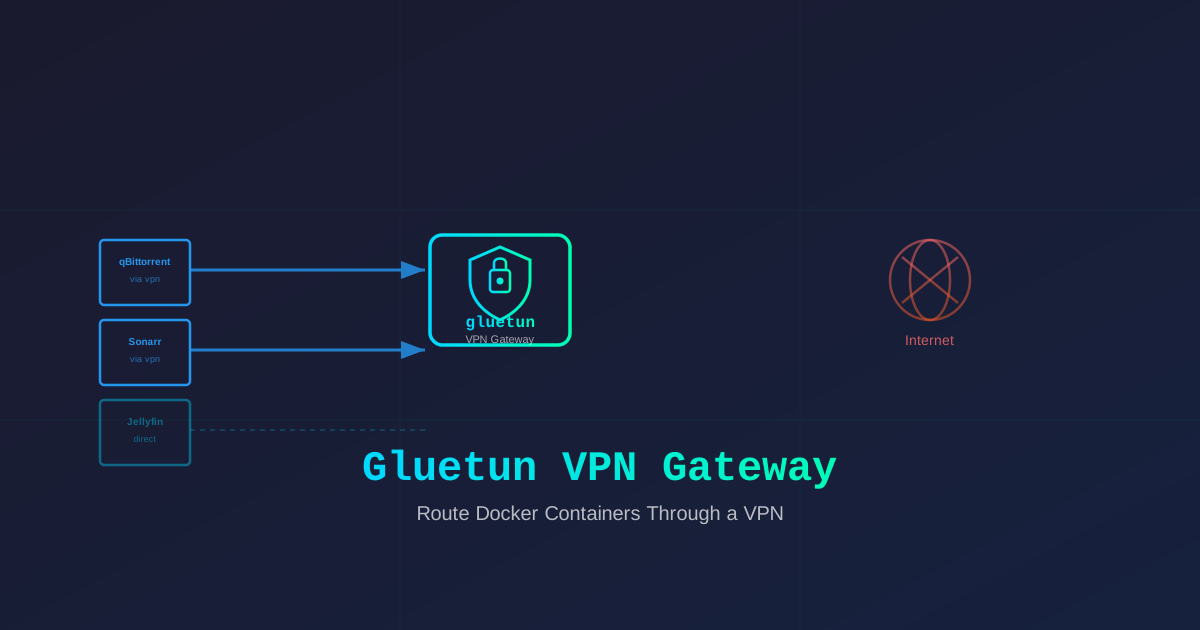
Route Docker Containers Through a VPN with Gluetun (2026 Guide)
Learn how to use Gluetun as a Docker VPN gateway to selectively route containers through a VPN while keeping others on a direct connection. No more leaking your IP from qBittorrent.
I run a media server. Jellyfin, Sonarr, Radarr, qBittorrent — the usual stack. For months, everything was on a direct connection. My server’s IP was doing the torrent handshake itself. Not great.
The naive solution? Put the whole server on a VPN. But then Jellyfin would break because my Plex/Jellyfin users can’t reach it through a VPN endpoint. My reverse proxy would stop resolving. My monitoring would go dark.
I needed something smarter: route only specific containers through a VPN. Everything else stays on the direct connection.
Enter Gluetun. It’s a lightweight Docker container that acts as a VPN client (WireGuard, OpenVPN, NordVPN, Mullvad, and 30+ providers) and lets other containers route their traffic through it via Docker networking.
I’ve been running this setup for 8 months. It works beautifully. Here’s exactly how to do it.
Why You Want This
If you’re self-hosting anything that touches P2P networks, geolocked services, or privacy-sensitive APIs, you need selective VPN routing. Here’s why:
Your IP is your identity. If qBittorrent or a P2P client connects from your home IP or your VPS’s raw IP, that IP is now public in swarm trackers. Forever. I learned this the hard way when my Hetzner IP ended up in a public DHT dump.
VPNs break direct access. Put the whole server behind a VPN and suddenly your Jellyfin is unreachable, your Caddy can’t issue certs, and your backup cronjob can’t reach S3. Selective routing fixes this.
Some providers block inbound traffic. Hetzner, OVH, and Contabo all get aggressive about DMCA notices. Routing torrent traffic through a VPN keeps those complaints in the VPN provider’s inbox, not yours.
The alternatives are worse. Running a VPN client inside each container? Inefficient and annoying to configure. Using network namespaces manually? Possible but error-prone. Gluetun gives you a clean Docker-native pattern that’s easy to maintain.
How Gluetun Works
Gluetun runs as a container that establishes a VPN connection to your provider. Other containers connect to it through Docker’s network_mode: "service:gluetun" setting, sharing its network stack. All their traffic flows through the VPN tunnel automatically.
The architecture is dead simple:
qBittorrent ─┐
Sonarr ──────┤──→ [gluetun container] ───→ VPN tunnel ───→ Internet
Jellyfin ────┘

Nextcloud ─────────────→ [direct internet]
Traefik ───────────────→ [direct internet]
Only the containers you explicitly attach to Gluetun go through the VPN. Everything else stays on your normal connection.
What You’ll Need
- Docker and Docker Compose installed on your server
- A VPN subscription that supports WireGuard or OpenVPN. I use NordVPN (affiliate link below), but Mullvad, ProtonVPN, PIA, and most others work too.
- Your VPN credentials — API token, username/password, or config file depending on provider
I run this on a Hetzner CPX31 (4 vCPU, 8GB RAM). It handles Gluetun + 4 VPN-routed containers without breaking a sweat. The VPN overhead is minimal — Gluetun itself uses about 50-100MB RAM.
🚀NordVPN
I use NordVPN for my self-hosted stack. 30-day money-back guarantee.
Affiliate link — we may earn a commission at no extra cost to you.
Step 1: Basic Gluetun Setup
Let me start with a clean docker-compose.yml that runs Gluetun with NordVPN (adjust for your provider).
services:
  gluetun:
    image: qmcgaw/gluetun:latest
    container_name: gluetun
    cap_add:
      - NET_ADMIN
    environment:
      # Replace with your provider
      - VPN_SERVICE_PROVIDER=nordvpn
      - VPN_TYPE=wireguard
      # NordVPN credentials from your account dashboard
      - NORDVPN_USERNAME=your-email@example.com
      - NORDVPN_PASSWORD=your-service-password
      # Optional: pick a specific server or region
      - SERVER_REGIONS=Netherlands
      - SERVER_COUNTRIES=Netherlands
    ports:
      # Expose ports for containers that need it
      # We'll add app-specific ports later
    networks:
      - gluetun-net
    restart: unless-stopped

networks:
  gluetun-net:
    driver: bridge
One gotcha right away: cap_add: [NET_ADMIN] is required. Without it, Gluetun can’t modify routing tables or open the VPN tunnel. Docker doesn’t grant this by default for good reason — but Gluetun needs it.
Start it up:
docker compose up -dCheck if the VPN connected:
docker logs gluetun | grep -i "connected"You should see something like “WireGuard is up” or “connection established”. If not, run:
docker logs gluetunMost failures are wrong credentials or provider config. Double-check your VPN provider’s docs for the exact VPN_SERVICE_PROVIDER and credential format. NordVPN uses a dedicated “service password” (not your main account password) — that one tripped me up for 20 minutes.
Step 2: Route a Container Through the VPN
Here’s the magic. To route qBittorrent through Gluetun, use network_mode: "service:gluetun":
services:
  gluetun:
    # ... (same as above)

  qbittorrent:
    image: lscr.io/linuxserver/qbittorrent:latest
    container_name: qbittorrent
    network_mode: "service:gluetun"
    environment:
      - PUID=1000
      - PGID=1000
      - TZ=Europe/Paris
      - WEBUI_PORT=8080
    volumes:
      - ./qbittorrent/config:/config
      - /data/downloads:/downloads
    depends_on:
      - gluetun
    restart: unless-stopped
Wait, how do I access the web UI if the container shares Gluetun’s network?
That’s the catch. When you use network_mode: "service:gluetun", the container shares Gluetun’s network stack — and Gluetun doesn’t expose any ports by default. You need to add qBittorrent’s ports to Gluetun’s ports section:
services:
  gluetun:
    image: qmcgaw/gluetun:latest
    container_name: gluetun
    cap_add:
      - NET_ADMIN
    environment:
      - VPN_SERVICE_PROVIDER=nordvpn
      - VPN_TYPE=wireguard
      - NORDVPN_USERNAME=your-email@example.com
      - NORDVPN_PASSWORD=your-service-password
    ports:
      - "8080:8080"    # qBittorrent web UI
      - "6881:6881"    # qBittorrent DHT
      - "6881:6881/udp"
    networks:
      - gluetun-net
    restart: unless-stopped
Now you can access qBittorrent at http://your-server-ip:8080. The traffic from qBittorrent goes through the VPN, but you can reach the web UI from your local machine because the port is mapped on the host.
I’ll be honest: this feels wrong at first. You’re putting port mappings on the Gluetun service, not the actual app. But it works, and once you get used to it, it’s clean — one place to manage all exposed ports for VPN-routed services.
Verify the VPN is Working
Before you trust it, verify that your container is actually routing through the VPN:
# Check the container's public IP via curl
docker exec -it gluetun curl -s ifconfig.me
If this returns your VPN provider’s IP (not your server’s IP), you’re good. Run it a few times to confirm it’s stable. I check mine weekly.
Step 3: Add Multiple VPN-Routed Services
Sonarr and Radarr follow the same pattern. Here’s the full stack:
services:
  gluetun:
    image: qmcgaw/gluetun:latest
    container_name: gluetun
    cap_add:
      - NET_ADMIN
    environment:
      - VPN_SERVICE_PROVIDER=nordvpn
      - VPN_TYPE=wireguard
      - NORDVPN_USERNAME=your-email@example.com
      - NORDVPN_PASSWORD=your-service-password
      - SERVER_COUNTRIES=Netherlands
    ports:
      - "8080:8080"    # qBittorrent
      - "8989:8989"    # Sonarr
      - "7878:7878"    # Radarr
      - "6881:6881"
      - "6881:6881/udp"
    networks:
      - gluetun-net
    restart: unless-stopped

  qbittorrent:
    image: lscr.io/linuxserver/qbittorrent:latest
    container_name: qbittorrent
    network_mode: "service:gluetun"
    environment:
      - PUID=1000
      - PGID=1000
      - TZ=Europe/Paris
      - WEBUI_PORT=8080
    volumes:
      - ./qbittorrent/config:/config
      - /data/downloads:/downloads
    depends_on:
      - gluetun
    restart: unless-stopped

  sonarr:
    image: lscr.io/linuxserver/sonarr:latest
    container_name: sonarr
    network_mode: "service:gluetun"
    environment:
      - PUID=1000
      - PGID=1000
      - TZ=Europe/Paris
    volumes:
      - ./sonarr/config:/config
      - /data/tv:/tv
      - /data/downloads:/downloads
    depends_on:
      - gluetun
    restart: unless-stopped

  radarr:
    image: lscr.io/linuxserver/radarr:latest
    container_name: radarr
    network_mode: "service:gluetun"
    environment:
      - PUID=1000
      - PGID=1000
      - TZ=Europe/Paris
    volumes:
      - ./radarr/config:/config
      - /data/movies:/movies
      - /data/downloads:/downloads
    depends_on:
      - gluetun
    restart: unless-stopped
Notice a pattern? Every app that needs VPN routing gets network_mode: "service:gluetun" and depends_on: gluetun. Its ports get added to the Gluetun ports block. Everything else in your stack stays on its own Docker network.
This pattern scales well. I route 5 containers through Gluetun and it’s been running for months without a restart.
Step 4: Keep Other Containers Direct
This is where the approach really shines. Your non-VPN containers stay on their own networks, completely unaffected:
services:
  # ... gluetun, qbittorrent, sonarr, radarr from above

  jellyfin:
    image: jellyfin/jellyfin:latest
    container_name: jellyfin
    volumes:
      - ./jellyfin/config:/config
      - /data/media:/media
    ports:
      - "8096:8096"
    restart: unless-stopped

  caddy:
    image: caddy:alpine
    container_name: caddy
    ports:
      - "80:80"
      - "443:443"
    volumes:
      - ./caddy/data:/data
      - ./caddy/Caddyfile:/etc/caddy/Caddyfile
    restart: unless-stopped
Jellyfin and Caddy don’t have network_mode: "service:gluetun". They connect directly to the internet. Caddy can issue SSL certs, Jellyfin can reach external metadata sources, and none of it leaks your IP because they’re not doing P2P traffic.
This separation is the whole point. You’re not choosing between “everything on VPN” or “nothing on VPN”. You get granular control.
What I Learned the Hard Way
Port Conflicts
If two VPN-routed containers both try to use port 8080 internally, you can’t map both to the same host port. Gluetun’s port mapping is per-container, and since they share its network, port conflicts become host conflicts.
Fix: Use different internal ports or use Docker’s extra_hosts to route between them. I changed qBittorrent’s WEBUI_PORT to 8081 and Sonarr to 8989.
VPN Drops
Gluetun has a built-in kill switch — if the VPN drops, it blocks all traffic. That’s great for privacy, but it means if your VPN provider has a hiccup at 3am, your entire VPN-routed stack goes offline until Gluetun reconnects.
Fix: Gluetun has VPN_DURATION=24h and OPENVPN_RENEG_SEC=0 options to auto-reconnect. I also monitor it with Uptime Kuma — if Gluetun goes down, I get a Discord ping.
DNS Leaks
By default, Gluetun uses the VPN provider’s DNS. But if you’ve got custom DNS (Pi-hole, AdGuard Home), you might leak queries. Gluetun supports custom DNS via the DNS_PLAINTEXT_ADDRESS environment variable. I point mine at my AdGuard Home instance:
environment:
  - DNS_PLAINTEXT_ADDRESS=192.168.1.10
Speed Overhead
WireGuard adds about 5-10% overhead on my 1Gbps connection. For downloads, I barely notice. For streaming, it’s negligible. OpenVPN is heavier — 15-20% overhead. If speed matters, use WireGuard.
Advanced: Firewall Rules with Gluetun
Gluetun supports custom firewall rules so you can restrict which containers can communicate through it. I use this to block everything except my media stack:
environment:
  - FIREWALL_INPUT_PORTS=6881
  - FIREWALL_OUTBOUND_SUBNETS=0.0.0.0/0
This only allows incoming on port 6881 (DHT) and allows all outbound traffic. You can lock it down further by restricting outbound subnets to specific tracker URLs.
Should You Do This?
If you:
- Run any P2P or torrent client in Docker
- Have services that need geolocation spoofing
- Want privacy from your VPS provider for specific traffic
- Need granular control over which containers use the VPN
Then yes, this setup is worth the 30-minute configuration.
If you only have one or two containers and don’t care about the others, a simpler approach might be running a VPN client inside each container. But Gluetun scales much better as your stack grows.
I moved from “VPN in every container” to Gluetun about 8 months ago. One container to manage, one place to check connection status, one set of logs to watch. No more credential duplication, no more sync issues when rotating VPN configs. Just clean service-level routing.
The Quick Recap
- Run Gluetun with your VPN provider credentials
- Add
network_mode: "service:gluetun"to any container that needs VPN - Expose their ports through Gluetun’s
portssection - Verify with
curl ifconfig.mefrom inside the Gluetun container - Keep non-VPN containers on their own networks — they’re unaffected
That’s it. You’ve got selective VPN routing without the complexity of network namespaces, without duplicate VPN clients, and without breaking everything else.
Related Articles:
- WireGuard VPN Self-Hosted Setup
- Best VPN for Self-Hosters 2026
- Secure Your VPS: Essential Hardening Guide
Running on my Hetzner CPX31, routing qBittorrent + Sonarr + Radarr + Prowlarr through Gluetun → NordVPN. 8 months, zero leaks, zero DMCA notices.
Stay in the loop 📬
Get self-hosting tutorials, tool reviews, and infrastructure tips delivered to your inbox. No spam, unsubscribe anytime.
Join 0 self-hosters. Free forever.